Kayla Lee

05
Image uploads
Redesigned Exfluential's image upload experience to be more intuitive for non-technical users through clearer guidance, smarter error handling, and new tools.

65%
Improved confidence during usability testing
41%
Increased successful first-time uploads

70%
Reduced upload-related support requests
Reduced validation errors

Company
Exfluential
Role
Product Design Lead
Timeline
1 Week
Platform
Desktop
Mobile
Team
Technical Program Manager, Engineering, Customer Success, QA
Tools Used
Figma, FigJam, Posthog, Jira, Slack, Zoom, Loom, Notion, Gemini, Google AI Studio
The Challenge
Uploading images was one of the platform's most common friction points. Because many of Exfluential's users had limited technical experience, unclear requirements and vague error messaging often led to failed uploads, frustration, and increased support requests from Customer Success. The experience lacked the guidance users needed to complete the task independently.
The Goal
Help non-technical users upload images successfully on the first attempt while reducing support requests.
Success Metrics

Increased successful first-time uploads
Improved confidence during usability testing

Reduced upload-related support requests
Reduced validation errors

Research & Insights
🔍
Users didn't understand accepted file formats
📐
Image dimensions were unclear
⚠
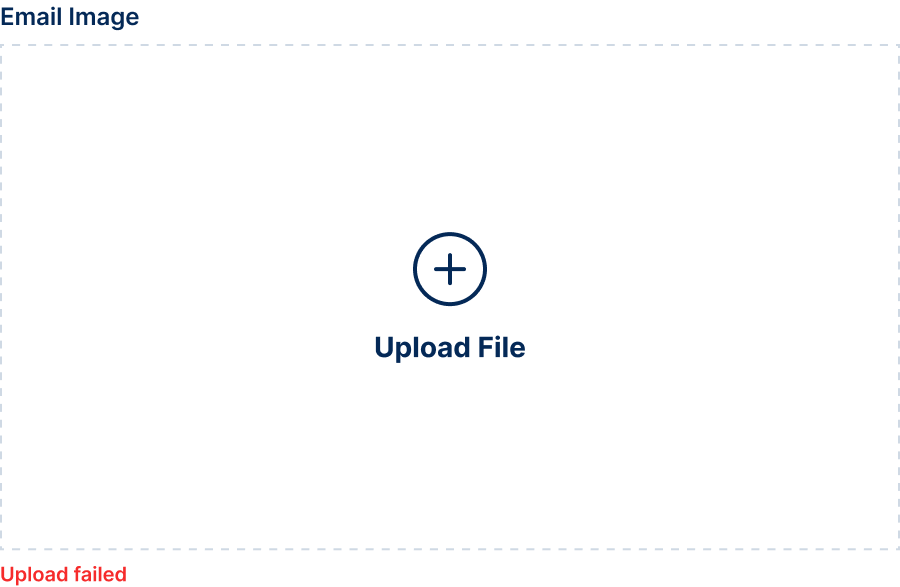
Error messages lacked actionable guidance
🫱🏾🫲🏼
Customer Success frequently intervened
Design Principles
🧠
Reduce cognitive load
➡️
Guide users before errors occur
✨
Make recovery simple when errors occur
The Solution
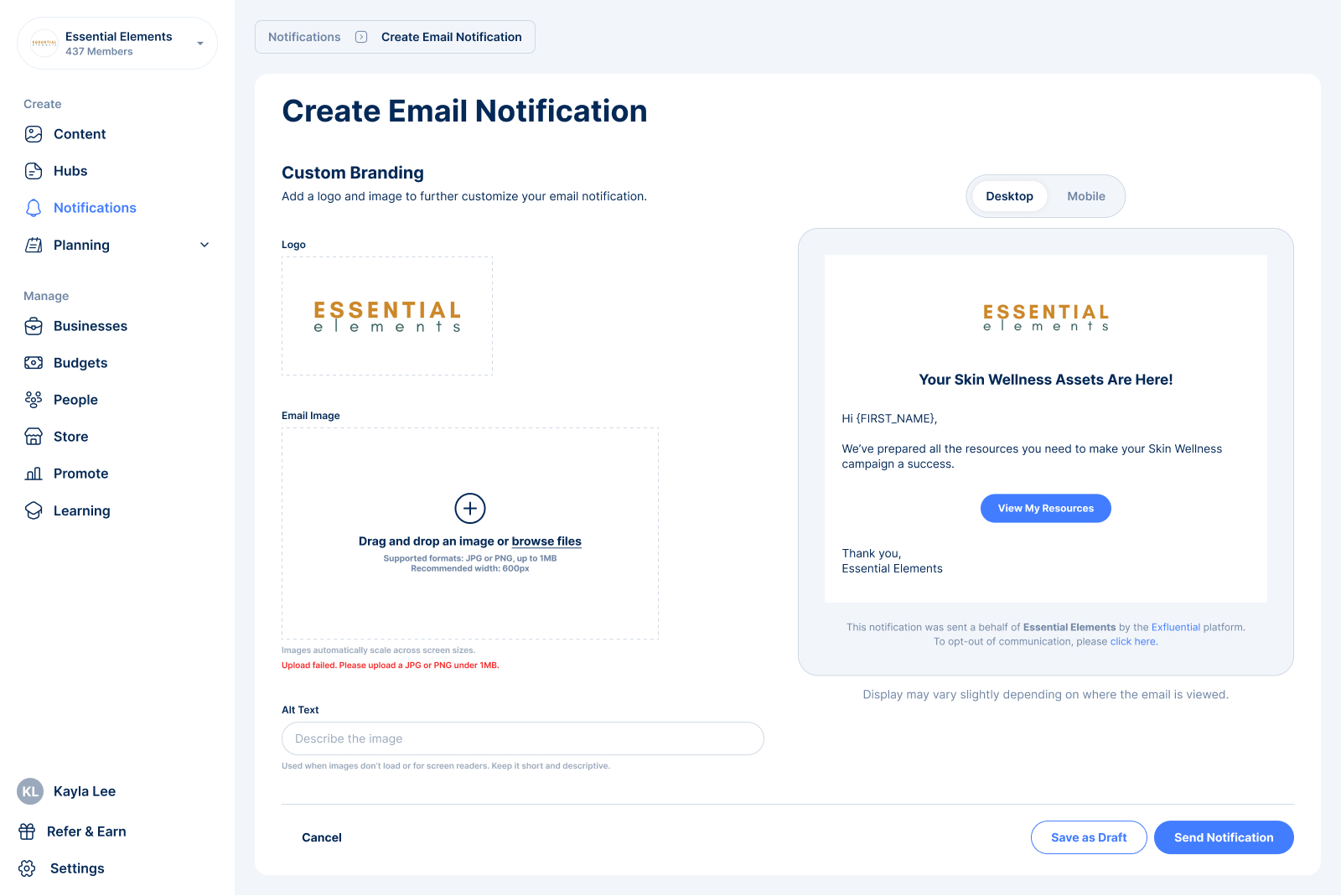
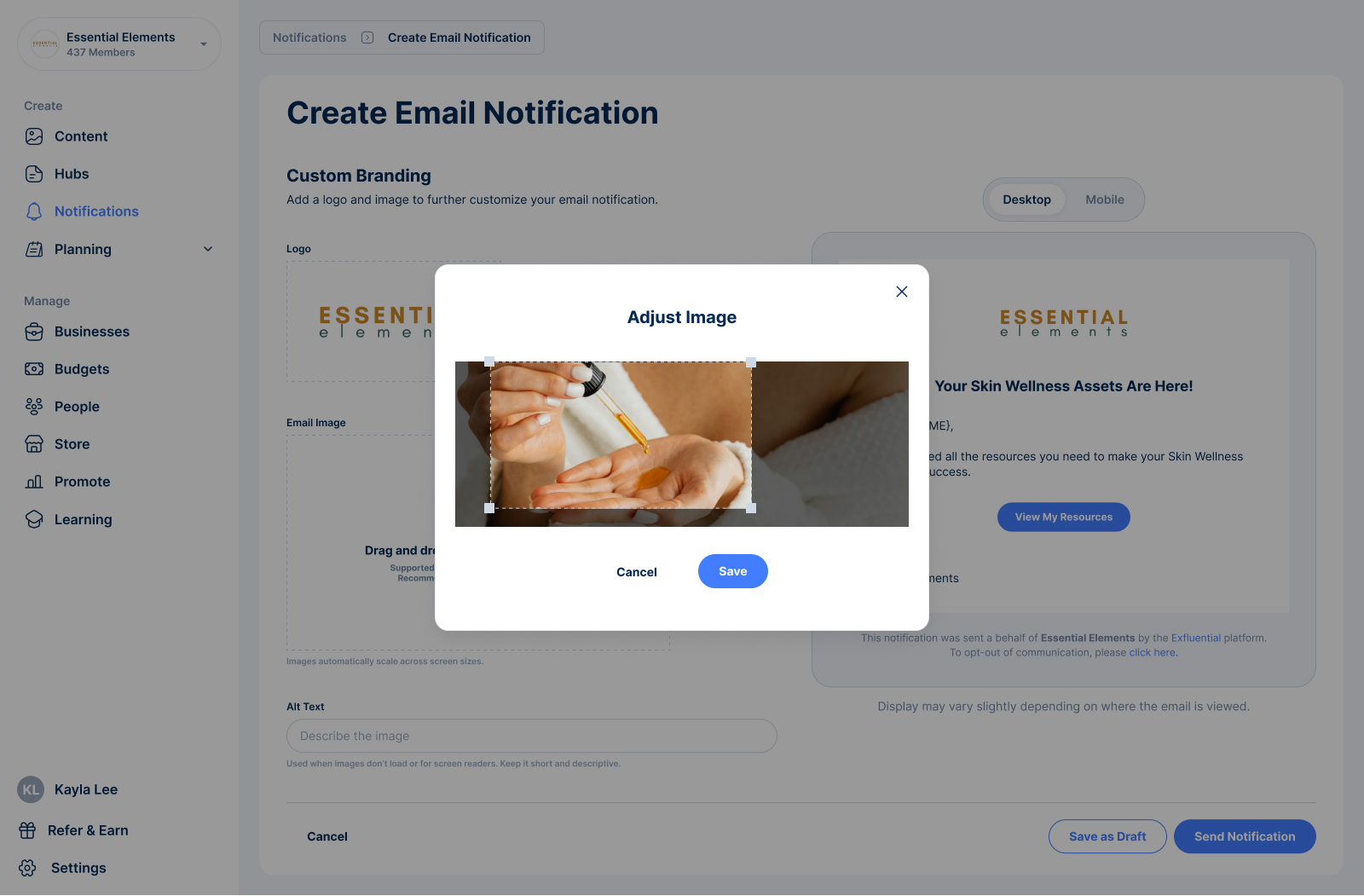
The upload experience was redesigned to proactively guide users instead of reacting after mistakes were made. By surfacing requirements upfront, introducing drag-and-drop functionality, adding an in-platform cropping tool, and rewriting error messaging with clear instructions, users were better equipped to complete uploads independently.
Key Improvements
+ Drag & Drop
+ Crop Tool
+ Improved Error States
+ Helper Copy
+ Accepted File Types
+ Recommended Dimensions
Before
After


Impact

Reduced friction for users.
Lowered dependency on Customer Success.
Created a scalable upload pattern for future image inputs.

Previous

Mobile Onboarding
Next
Pending Users

Kayla Lee
05
Image uploads
Redesigned Exfluential's image upload experience to be more intuitive for non-technical users through clearer guidance, smarter error handling, and new tools.

65%
Improved confidence during usability testing
41%
Increased successful first-time uploads

70%
Reduced upload-related support requests
Reduced validation errors
Company
Exfluential
Role
Product Design Lead
Timeline
1 Week
Platform
Desktop
Mobile
Team
Technical Program Manager, Engineering, Customer Success, QA
Tools Used
Figma, FigJam, Posthog, Jira, Slack, Zoom, Loom, Notion, Gemini, Google AI Studio
The Challenge
Uploading images was one of the platform's most common friction points. Because many of Exfluential's users had limited technical experience, unclear requirements and vague error messaging often led to failed uploads, frustration, and increased support requests from Customer Success. The experience lacked the guidance users needed to complete the task independently.
The Goal
Help non-technical users upload images successfully on the first attempt while reducing support requests.
Success Metrics
Increased successful first-time uploads
Improved confidence during usability testing
Reduced upload-related support requests
Reduced validation errors

Research & Insights
🔍
Users didn't understand accepted file formats
📐
Image dimensions were unclear
⚠
Error messages lacked actionable guidance
🫱🏾🫲🏼
Customer Success frequently intervened
Design Principles
🧠
Reduce cognitive load
➡️
Guide users before errors occur
✨
Make recovery simple when errors occur
The Solution
The upload experience was redesigned to proactively guide users instead of reacting after mistakes were made. By surfacing requirements upfront, introducing drag-and-drop functionality, adding an in-platform cropping tool, and rewriting error messaging with clear instructions, users were better equipped to complete uploads independently.
Key Improvements
+ Drag & Drop
+ Crop Tool
+ Improved Error States
+ Helper Copy
+ Accepted File Types
+ Recommended Dimensions
Before

After
Impact
Reduced friction for users.
Lowered dependency on Customer Success.
Created a scalable upload pattern for future image inputs.

Previous
Mobile Onboarding
All Projects
Next
Pending Users
Kayla Lee
05
Image uploads
Redesigned Exfluential's image upload experience to be more intuitive for non-technical users through clearer guidance, smarter error handling, and new tools.
65%
Improved confidence during usability testing
41%
Increased successful first-time uploads
70%
Reduced upload-related support requests
Reduced validation errors
Company
Exfluential
Role
Product Design Lead
Timeline
1 Week
Platform
Desktop
Mobile
Team
Technical Program Manager, Engineering, Customer Success, QA
Tools Used
Figma, FigJam, Posthog, Jira, Slack, Zoom, Loom, Notion, Gemini, Google AI Studio
The Challenge
Uploading images was one of the platform's most common friction points. Because many of Exfluential's users had limited technical experience, unclear requirements and vague error messaging often led to failed uploads, frustration, and increased support requests from Customer Success. The experience lacked the guidance users needed to complete the task independently.
The Goal
Help non-technical users upload images successfully on the first attempt while reducing support requests.
Success Metrics
Increased successful first-time uploads
Improved confidence during usability testing
Reduced upload-related support requests
Reduced validation errors

Research & Insights
🔍
Users didn't understand accepted file formats
📐
Image dimensions were unclear
⚠
Error messages lacked actionable guidance
🫱🏾🫲🏼
Customer Success frequently intervened
Design Principles
🧠
Reduce cognitive load
➡️
Guide users before errors occur
✨
Make recovery simple when errors occur
The Solution
The upload experience was redesigned to proactively guide users instead of reacting after mistakes were made. By surfacing requirements upfront, introducing drag-and-drop functionality, adding an in-platform cropping tool, and rewriting error messaging with clear instructions, users were better equipped to complete uploads independently.
Key Improvements
+ Drag & Drop
+ Crop Tool
+ Improved Error States
+ Helper Copy
+ Accepted File Types
+ Recommended Dimensions
Before
After
Impact
Reduced friction for users.
Lowered dependency on Customer Success.
Created a scalable upload pattern for future image inputs.

Previous
Mobile Onboarding
All Projects
Next
Pending Users